
WebP vs. JPEG vs. PNG vs. AVIF: Which Image Format Should You Actually Use?
JPEG, PNG, WebP, and AVIF compared in plain English — what each format does well, what it breaks on, where browser support stands in 2026, and which one to actually ship for photos, graphics, and the web.
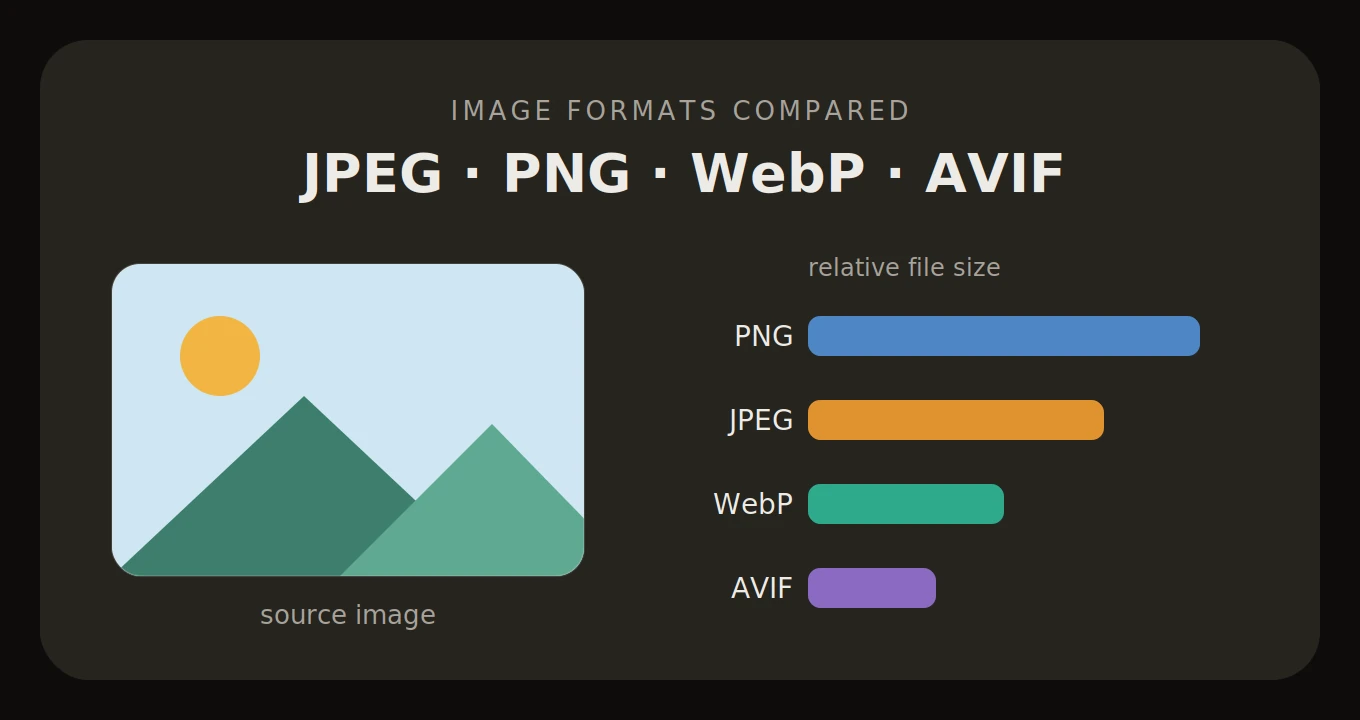
Images are still the heaviest bytes on the modern web. The HTTP Archive's 2024 Web Almanac shows the median page ships roughly a megabyte of images — more than HTML, CSS, and JavaScript combined. Before you touch your build pipeline or your CDN, the single biggest lever you have is the format those images ship in. Picking the right one changes the byte count by 30 to 60 percent, with no perceptible difference on screen.
For 25 years the web ran on a duopoly: JPEG for photos, PNG for everything else. WebP and AVIF rewrote the compression rules in the last decade, and as of 2026 both have the browser support to be defaults — not fallbacks. Here is what each of the four formats actually does, where each one breaks, and which one belongs on the page you are building.
The old guard: JPEG and PNG
JPEG (1992)
JPEG is the grandfather of digital images. It was standardised by the Joint Photographic Experts Group in 1992 and uses lossy compression based on the discrete cosine transform — it slices the image into 8x8 pixel blocks and throws away the high-frequency detail your eyes are least likely to notice. That is why JPEG is brilliant at photographs (smooth gradients, complex colour, faces) and miserable at line art (sharp contrast, text, logos): the same block-based compression that hides nicely inside a sunset produces visible ringing and halos around hard edges.
It has no transparency, no animation, and no support for wide colour or HDR. What it does have is universal compatibility — every browser, every operating system, every CMS, every printer driver since the mid-1990s reads a JPEG. That is why it remains the lowest-common-denominator format you fall back to when something modern fails.
PNG (1996)
PNG has a more political origin than people remember. In 1995, Unisys began enforcing the LZW patent inside GIF, and the web community responded by drafting a royalty-free replacement. PNG 1.0 became a W3C Recommendation in 1996 and a full ISO standard later. It uses DEFLATE — the same lossless compression as ZIP — and supports an 8-bit alpha channel for proper transparency.
PNG is lossless, so every pixel of the original survives. That makes it perfect for screenshots, UI elements, diagrams, and anything with sharp edges or text. The trade-off is file size. A high-resolution photograph as a PNG can be 5 to 10 times larger than the same image as a JPEG, because DEFLATE has nothing clever to do with the noisy, high-entropy pixel data of a real-world photo.
The next generation: WebP and AVIF
WebP (2010, ubiquitous by 2020)
WebP was released by Google in 2010, derived from the keyframe-coding of the VP8 video codec. It supports both lossy and lossless modes, full alpha transparency, and animation — effectively replacing JPEG, PNG, and animated GIF in a single format. Google's original WebP Compression Study put lossy WebP at 25–34% smaller than JPEG at equivalent SSIM, and lossless WebP at about 26% smaller than PNG.
The catch was browser support. Chrome had it from day one, but Firefox did not add WebP until 2019 and Safari held out until version 14 in late 2020. That ten-year gap is why WebP felt like a niche format for so long. Today caniuse.com tracks WebP at over 98% of global users — universal in any practical sense. The remaining holdouts are old offline editors and legacy operating systems, not browsers.
AVIF (2019)
AVIF is the keyframe encoding of the AV1 video codec, packaged as a still-image format. AV1 was developed by the Alliance for Open Media — a consortium that includes Google, Netflix, Amazon, Apple, and Microsoft — explicitly to be a royalty-free successor to HEVC (the video codec behind HEIC). That patent-free status is the reason every major browser ships native AVIF decoding while HEIC support outside Apple's ecosystem remains a paid add-on.
AVIF supports lossy and lossless modes, alpha transparency, animation, film grain synthesis, and — uniquely among mainstream web formats — 10 and 12-bit colour with PQ and HLG transfer functions, which is what HDR photography actually needs to look correct on an HDR display. As of 2026, AVIF support has reached the universal threshold: Chrome 85+ (2020), Firefox 93+ (2021), Safari 16.4+ (2023), and Edge 121+ (January 2024).
The honest trade-off with AVIF is encode time. At high effort settings, encoding an AVIF is 5 to 10 times slower than encoding the same image as WebP. That matters for build pipelines and on-device editors; it is a non-issue for one-off conversions.
Side-by-side: the actual numbers
| Format | Year | Compression | Transparency | Animation | Browser support (2026) | Best for |
|---|---|---|---|---|---|---|
| JPEG | 1992 | Lossy only | No | No | Universal (100%) | Photographs, legacy compatibility |
| PNG | 1996 | Lossless only | Yes (8-bit alpha) | No (APNG fringe) | Universal (100%) | Logos, UI, screenshots, text |
| WebP | 2010 | Lossy + lossless | Yes (8-bit alpha) | Yes | ~98% globally | General web default — photos and graphics |
| AVIF | 2019 | Lossy + lossless | Yes (full alpha) | Yes | ~95% globally | Hero images, HDR, bandwidth-critical pages |
When to use which
- Photographs on the web → AVIF as the primary, WebP as a fallback, served via a `<picture>` element. The browser picks the first format it can decode; no JavaScript, no user-agent sniffing.
- Logos, icons, UI graphics → SVG first (resolution-independent, themeable, animatable). If raster is forced on you, use PNG for transparency or lossless WebP for smaller files.
- Screenshots, text-heavy images, sharp edges → PNG or lossless WebP. Never JPEG — the 8x8 block artifacts will eat your text.
- Sharing to systems that reject `.webp` or `.avif` (older CMSes, some HR portals, legacy email clients) → JPEG for photos, PNG for everything else. Still the safe lowest common denominator.
- HDR photographs from a modern phone or camera → AVIF. It is the only mainstream web format with the colour depth and transfer-function metadata needed to render HDR correctly on a capable display.
Where the trade-offs actually bite
The first trade-off is encode time. AVIF's compression efficiency comes from running an AV1 keyframe encoder, which is computationally expensive. On a build server processing thousands of images, this turns into real minutes — most teams cache aggressively or accept a lower effort setting in exchange for speed. WebP encodes 5 to 10 times faster at comparable quality, which is a perfectly valid reason to default to WebP and only reach for AVIF on hero images where the bandwidth saving justifies the encode cost.
The second trade-off is tooling lag. Photoshop only added native AVIF read/write in late 2024, and plenty of CMS uploaders still reject `.avif` and `.webp` extensions at the form-validation layer even though their underlying image libraries can handle them. WebP has had a 16-year head start on resolving this, which is the main reason it remains the more pragmatic default for general use today.
A practical migration checklist
- Audit your largest images. Lighthouse and PageSpeed Insights flag PNGs and JPEGs over ~100 KB. These are your biggest wins.
- Convert hero images to AVIF with a WebP fallback. Most teams see 40–60% byte savings on photo-heavy pages with no perceptible quality loss.
- Keep one JPEG fallback for the long tail of legacy clients (old email previewers, some embedded browsers). It costs you one extra encode and one extra `<source>` element.
- Use the `<picture>` element with multiple `<source>` tags, not user-agent sniffing. The browser does the format negotiation for you and gets it right every time.
- Verify in DevTools. Open the Network tab, sort by size descending — if your largest assets are still PNGs and JPEGs, the migration is not done yet.
- Re-run Lighthouse after deploying. The Largest Contentful Paint score is where the format change shows up in user-facing metrics.
The verdict
Use WebP as your default in 2026. Browser support is universal, encode time is reasonable, the file-size savings against JPEG and PNG are real, and tooling has caught up. Reach for AVIF on hero images and bandwidth-critical pages where the extra 20% saving against WebP is worth the slower encode. Keep PNG for transparency-critical graphics where SVG is the wrong tool. Keep JPEG as the fallback you ship when something downstream refuses to decode a modern format.
The real-world friction is rarely the format choice itself — it is converting between them. Stripping metadata from a batch of phone photos, turning a designer's PNG export into a deployable WebP, getting a client's AVIF back to a JPEG so they can open it on a 2015 laptop. That is the workflow ImgShifter is built for. Every converter — PNG to WebP, JPG to AVIF, PNG to AVIF, WebP to PNG, and the rest — runs entirely in your browser via WebAssembly. The file is decoded and re-encoded on your device. Nothing is uploaded, nothing is logged, and the page works offline after the first visit. Open DevTools and watch the Network tab if you want to verify it yourself.
Convert to the right format, without uploading anything
ImgShifter's converters run in your browser via WebAssembly — drop a file in, get the modern format out, files never reach a server. Works offline after the first visit.
Related articles
The 2026 State of Web Graphics: PNG Is Out, AVIF and SVG Are In
Legacy PNG and JPEG are quietly being replaced by AVIF, WebP, and inline SVG. A data-driven look at why the migration is happening, how the formats actually differ at render time, and what to ship in 2026.
11 min read
Image Too Large to Upload? How to Fix It on Any Device (2026)
Phone photos run 3 to 6MB and plenty of upload forms stop at 2MB. How to shrink, convert or resize an image so it uploads, on any phone or computer.
12 min read
Bun.Image: The Built-in Image Pipeline That Wants to Replace sharp
Bun shipped a built-in image pipeline in v1.3.14 with zero npm dependencies and no native-addon build step. What it actually does, the benchmarks vs sharp 0.34.5, the platform gaps, and what it means for image tooling outside the browser.
10 min read